v7.2: Animating Widgets from Csound
Widgets are not only a way for Csound to receive input — they can also be driven and animated from the orchestra. Any widget property can be changed at runtime with a property message:
outvalue "<channel>/<property>", <value>
A property message never changes a widget's value, so you can move, resize, recolour or relabel a widget while it keeps controlling its Csound channel.
How it works
Send messages at a display rate (for example from a metro(30) block, as in
the example) rather than every k-cycle. Both numbers and strings are supported:
; colour: a hex string
Scol = sprintfk("#%02x%02x%02x", 127+120*sin(kt*0.8), 90, 200)
outvalue "cutoff/color", Scol

; position: integers
outvalue "mover/x", int(kx)
outvalue "mover/y", int(ky)

; size, visibility, text ...
outvalue "meter/width", 240
outvalue "pulse/visible", (int(kt*1.5) % 2)
outvalue "pulse/text", sprintfk("t = %4.1f s", kt)
The channel name is the widget's channel (the one it already uses to talk to Csound)
Discovering the properties
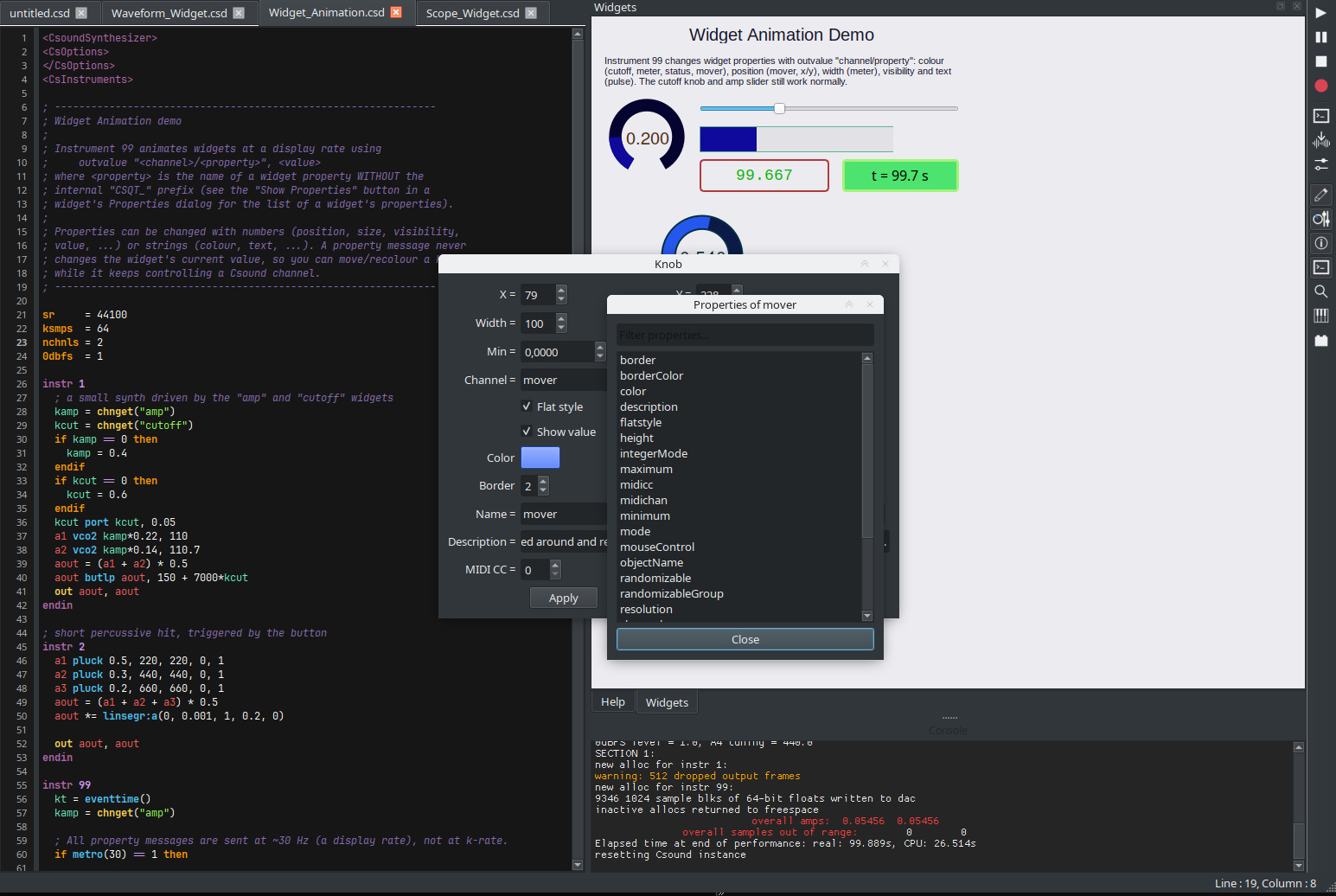
Every widget's Properties dialog has a Show Properties button which lists all the properties that can be addressed, with a filter box for long lists:
Example
The example C Widgets/Widget_Animation.csd animates colours, position,
width, visibility and text from instrument 99, on top of a small synth whose
amp slider and cutoff knob still work normally. Open it from the
Examples → CsoundQt → C Widgets menu.
See the source: https://github.com/CsoundQt/CsoundQt/blob/csoundqt7/src/Examples/CsoundQt/C%20Widgets/Widget_Animation.csd
Getting CsoundQt 7.2
Download the latest binaries from the
releases page
(AppImage, Flatpak, macOS .dmg and the Windows installer). The complete
changelog is in the
v7.2.0 release notes.