Overview
CsoundQt is a frontend for Csound featuring a highlighting editor with autocomplete, interactive widgets and integrated help. It is a cross-platform and aims to be a simple yet powerful and complete development environment for Csound.
CsoundQt 7 requires Qt 6 and Csound 7.
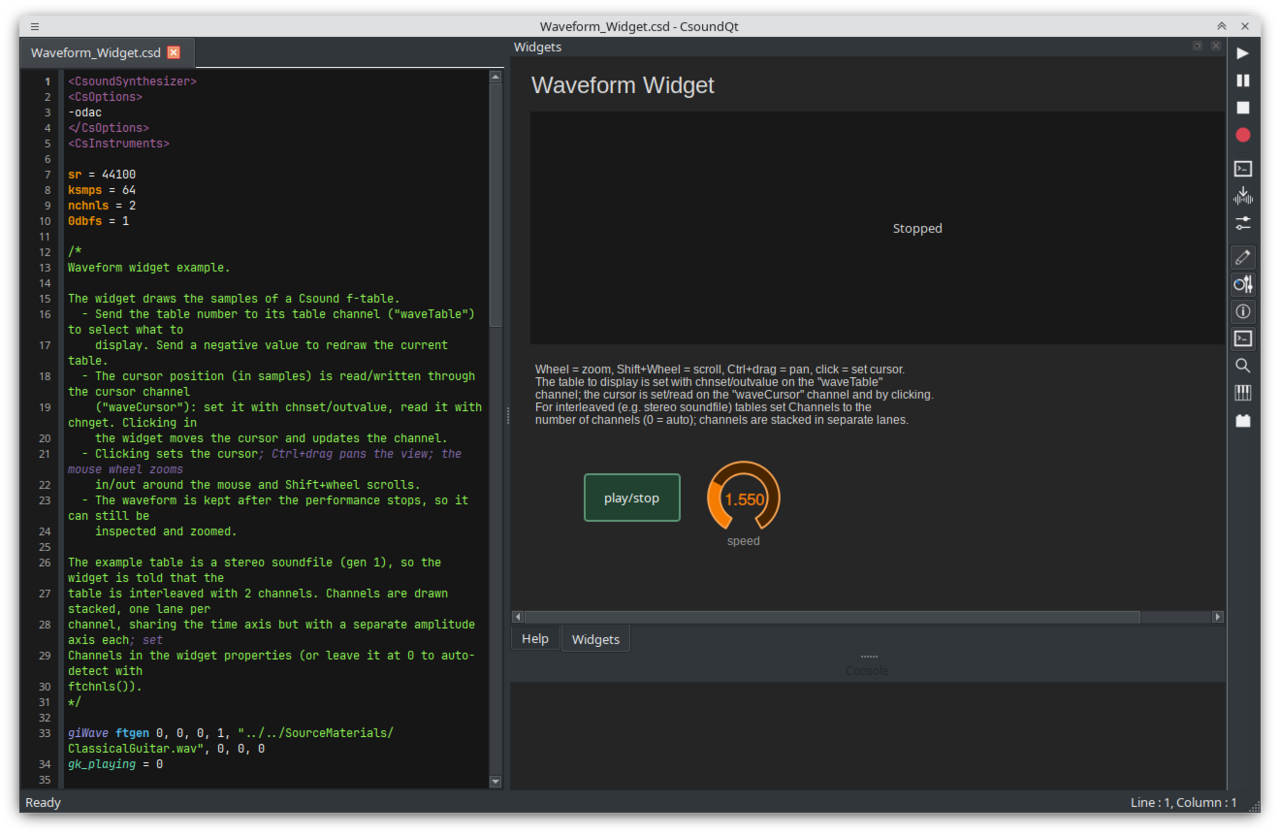
The main parts of CsoundQt are:
- The Editor which offers syntax highlighting, self-completion of opcode names and other parts of the code, optional split view including a spread-sheet like display of the score, an inline find bar, and the integrated Csound Manual with whole-manual search.
- The Widgets which extend Csound by standard graphical elements like sliders,
number boxes, buttons etc. Widgets communicate through Csound channels, mainly via the
chngetandchnsetoptocdes. Any widget property can be modified from csound withoutvalue "<channel>/<property>", value. - Different Run options, including live modification and scheduling of instruments.
MIDI is handled by CsoundQt and every widget can be bound via
MIDI learnto any controller. - A Live Event Sheet (see the original pages under Legacy documentation) which allows easy and multi-layered real-time generation of score events, including loops and some on-the-fly manipulation of scorelines.
- Easy access to the Csound Utilities with interactive adjustment of parameters.
CsoundQt 7 brings light/dark themes that can follow the system, a much faster startup, and self-contained AppImage and Flatpak packages that bundle Qt, Csound, the manual and plugins.
The Menu Short Reference doc explains all menu items in short.
The Configuration doc is about the various configuration settings in CsoundQt (including Csound).
Tips and Tricks can help to overcome some common issues.