v7.2: New Widgets
CsoundQt 7.2 brings a set of long-requested widget features: a brand new
waveform widget, a scope that can display any Csound audio signal, and
flat, fully themeable buttons. (Animating widgets from Csound with
outvalue will be the subject of a separate post.)
Waveform widget
The new waveform widget draws the samples of a Csound f-table directly in the widget panel, so you can see exactly what a table (or a soundfile loaded into one) looks like while you work, zoom, pan, set a playback cursor, etc.
- The f-table number is sent to the widget's channel; a second, string channel carries the cursor position (readable and writable from the orchestra).
- Multichannel tables are drawn as one lane per channel, sharing a common time axis.
- The mouse wheel zooms, Shift+wheel scrolls, and Ctrl+drag pans. The view follows the cursor when it moves out of sight.
- The table is copied before the Csound instance is destroyed, so the waveform stays visible after the performance stops.
- Try it with the updated example
C Widgets/Waveform_Widget.csd.
Scope: monitor any audio channel
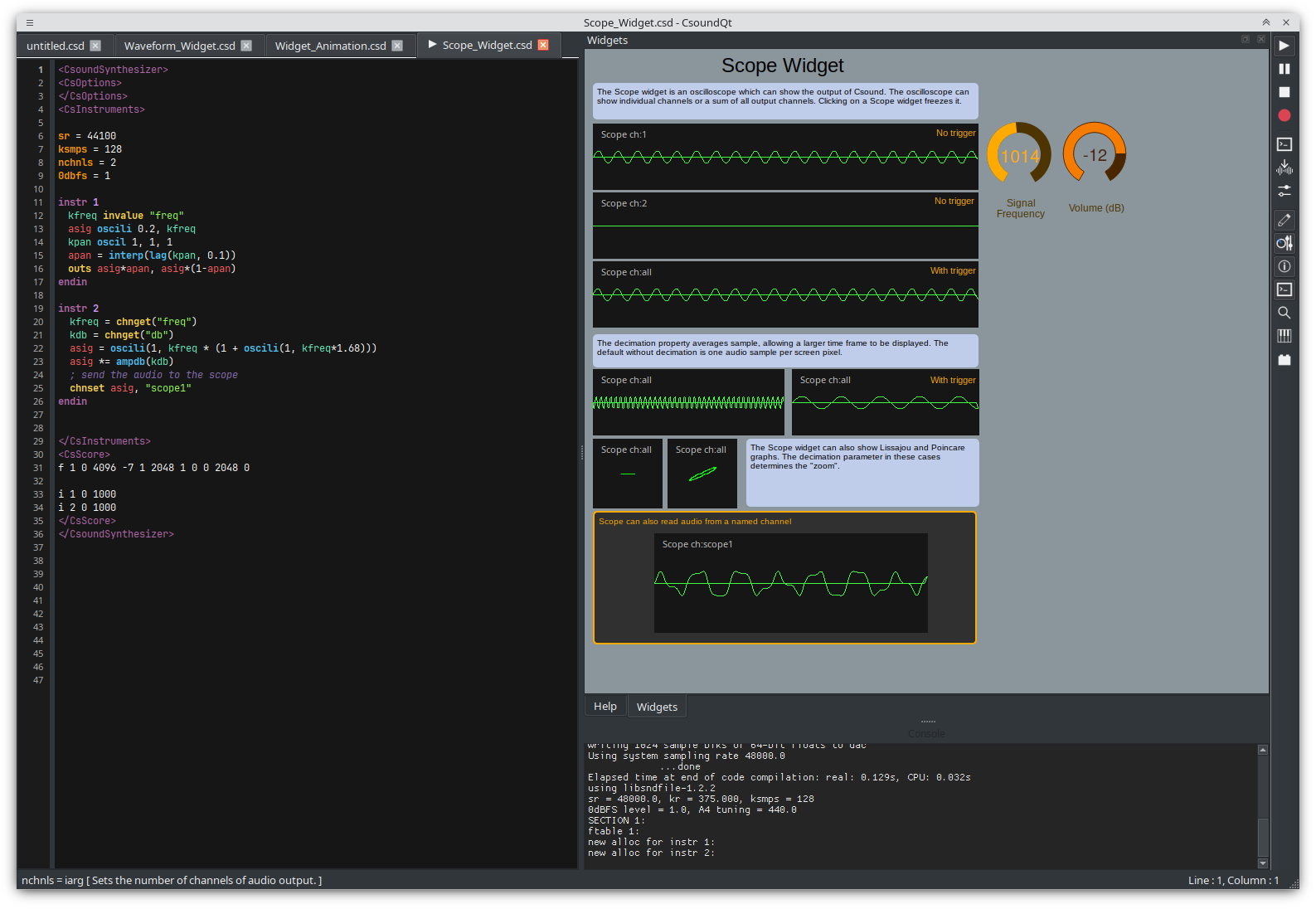
Until now a scope could only show what Csound sends to its audio outputs. The scope now has a second channel that names a Csound audio channel, making it easy to probe any signal, even if this signal is not sent to csound's outputs
instr 1
  asig oscils 0.8, 220, 0
  chnset asig, "scopechan"   ; publish the signal on an audio channel
endin
Set the scope's Audio Channel to scopechan and it will display that
signal. All the usual scope options — zoom, trigger and display type — apply to
monitored channels as well.
Flat buttons
Buttons can now opt into a flat style that is drawn by CsoundQt itself instead of the native platform widget. The result looks identical on every platform and is fully configurable: background colour, pressed background, text and pressed-text colours, border colour, border width and corner radius. Pushed colours default to the normal colours when left unset.
Enable Flat in a button's properties to try it — the updated
C Widgets/Button_Widget.csd example now includes flat and flat-latched
buttons.
Getting CsoundQt 7.2
Download the latest binaries from the
releases page
(AppImage, Flatpak, macOS .dmg and the Windows installer). The complete
changelog is in the
v7.2.0 release notes.