Skip to content

News

Version 0.9.2.1 Released

The source and upcoming binaries can be downloaded from: https://github.com/CsoundQt/CsoundQt/releases/tag/0.9.2.1

Version 0.9.2.1 is a bug-fix release, adding also a few new features.

See a short demo

New in version 0.9.2.1

  • Run as temporary file dialog: when user creates a new file (displayed as default.csd) and runs it first time, it is possible now to run the file immediately as a temporary file (without going through the Save as dialog). Of course one can choose also to save the file with given name. It is useful when trying out snippets, checking code from mailing list posts etc.

  • Create a shareable OSX bundle with make install. An install target is added to qcs.pro that deploys all necessary libraries and other components to the CsoundQt app bundle in bin folder of the build directory so it is possible to share the built application to other OSX computers. Just navigate to the build directory (where Makefile is generated) and run

$ make install

NB! Csound framework is not included in the bundle (to avoid conflicts with system installation) - Csound must be installed separately!

  • Johannes Schütt has prepared also a script that will make a nice installation bundle on OSX (bin/build-deploy-csoundqt-osx.sh)

  • Scanned Synthesis Sandbox - a demo and tool to learn and try out scanned synthesis using scanu opcode. Placed in menu Examples -> Synths.

Fixes

  • Better install target and script for Linux install (by Felipe Sateler)

  • Fix for OSX architecture detecting problem in qcs-macx.pro. Now x86_64 is default, i386 or universal can be set with CONFIG+=<architecture>

  • Scripts ad Examples are added automatically to OSX app.

  • Added install target for extended examples (Floss Manual, McCurdy Collection, Stria Synth). Now installed to /usr/share/qutecsound/Examples with make install (Linux)

  • Csound Manual is found automatically (if installed with "official" installer), even if the path is not set in configuration (Linux, OSX, Windows).

  • Improved highlighting rules (instrument names and macro names are not highlighted any more as k- i- S- etc variables) - thanks to Joachim Heintz

  • Fixes in configuration files for Windows build

  • Fix for clean shut-down, if built with html5 support

  • Fixes for building with rtmidi in Windows 64-bit build

  • Added missing toolbutton for OPCODE6DIR64 in Configuration -> Environment.

Miscellaneous

  • Better documentation on CsoundQt web-page (thanks to Joachim Heintz): http://csoundqt.github.io/pages/documentation.html

  • Wiki page for building CsoundQt on Windows (currently 32-bit build): https://github.com/CsoundQt/CsoundQt/wiki/Building-on-Windows-with-QtCreator

  • Bundleing script (OSX) and necessary files in source tree bin folder (by Johannes Schütt) - it will be used also for nightly builds and OSX installers in future.

  • Improvements in BUILDING.md

Version 0.9.2 Released

The source and upcoming binaries can be downloaded from: https://github.com/CsoundQt/CsoundQt/releases/tag/0.9.2

Version 0.9.2 is mostly a bug-fix release, adding also a number of new convenience features.

See a short demo

New in version 0.9.2

  • CsoundQt tries to keep one running instance. When new Csound file is opened in file manager, it forwards the info to the running instance and it opens the file in a new tab. You can start also more than one instances of CsoundQt if you start the program without any arguments (i.e not opening a file).

  • For Unix/Linux builds there is now the install target for system wide installation (Run sudo make install). It installs and registers also mime-types for Csound files, a desktop start-up file and icon for CsoundQt. So it is now easy to open CsoundQt or any Csound files with CsoundQt.

Csound mimetypes

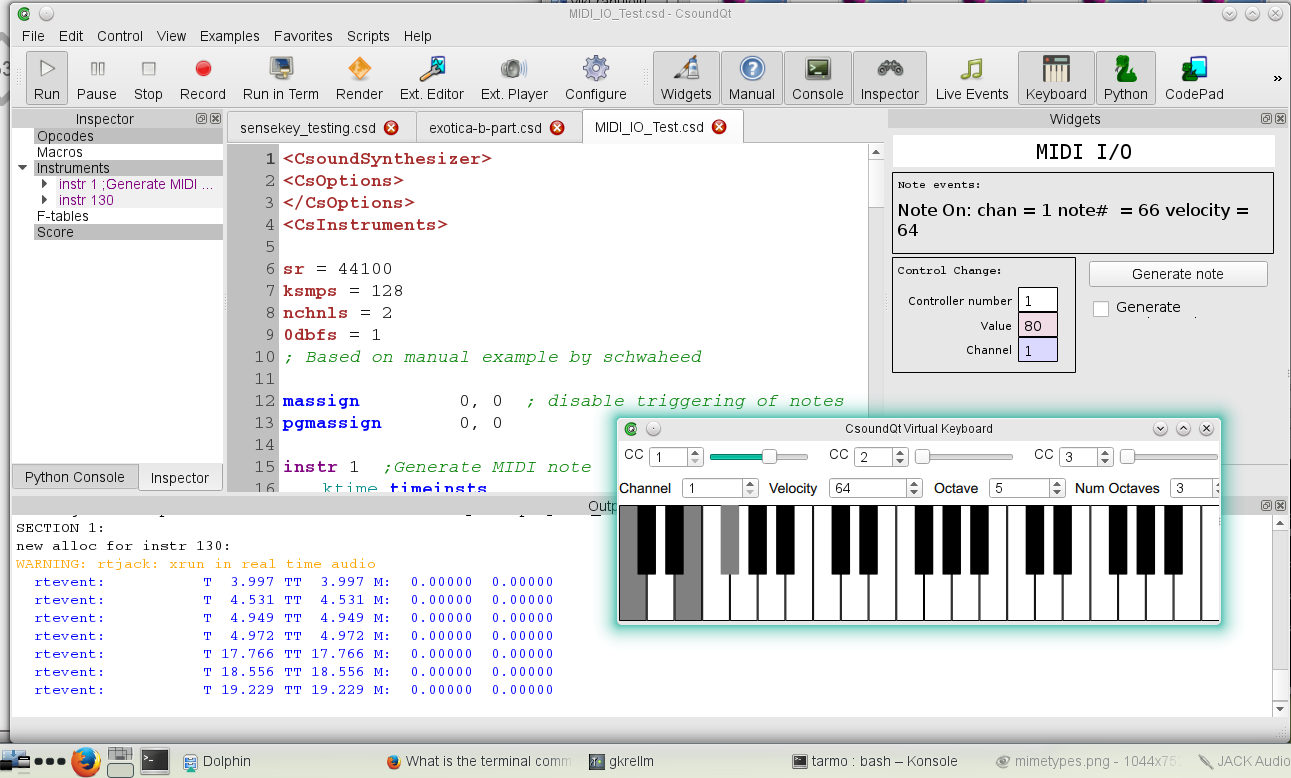
  • Virtual MIDI keyboard has been improved - new sliders for control channels, possibility to play notes on computer keys (keyboard mapping is similar to Csound's VirtualMidi (Z - lowest C, S - C#, X - lowest D etc), see http://www.csounds.com/manual/html/MidiTop.html, Table 6

Csound mimetypes

  • There is Virtual MIDI keyboard button on toolbar

  • Midi Learn button is straight accessible from widget's properties dialog window.

  • MIDI button (or similar controller) can start a Csound event defined in a Button Widget properties, if the type of the button is set to "event".

Fixes

  • sensekey works now when CsoundQt is launched via desktop file or from Applications (Linux, OSX)

  • Better search paths in project files to find rtmidi and pythonqt sources

  • Fixed some paths and configuration for OSX build

  • Fixed occasional pink widget panel background

  • Restore cursor position after evaluating a section (on an arrow key press).

  • Virtual Midi Keyboard is shown/hidden correctly on toggling the button/menu item, destroyed correctly on exit.

  • Parenthesis markup is corrected so that it does not brake undo chain any more.

  • Fixed selection end (mouse release) outside editor panel.

  • Show Midi Learn and midi controls only for widgets that accept MIDI.

  • Widgetpanel shown/hidden state gets restored correctly on strartup.

  • Fixed Midi Learn CC number detection.

  • Fixed indentation (many Tab presses actually create tabs)

CsoundQt at Github

CsoundQt has now its organisation account at Github.

The sources can be found at https://github.com/CsoundQt/CsoundQt

NB! If you ever used to pull the CsoundQt sources from git, please update your remote address:

$ git remote set-url origin https://github.com/CsoundQt/CsoundQt

The web-page is moved to http://csoundqt.github.io/

To improve the web-site, add news or edit content, please have a look for instructions at

https://github.com/CsoundQt/csoundqt.github.io/blob/master/README.md

Version 0.9.0 Released

To coincide with Csound's release of version 6.04, I'm releasing CsoundQt version 0.9.0.

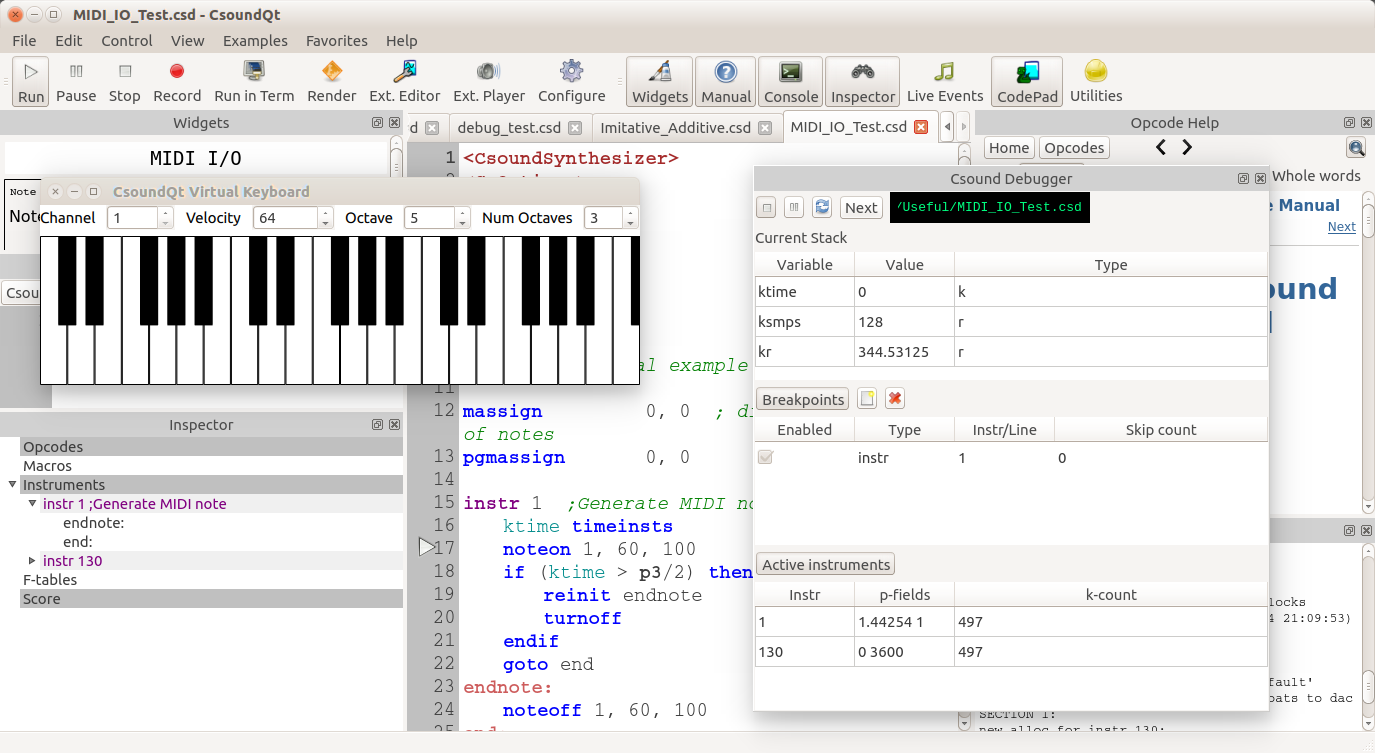
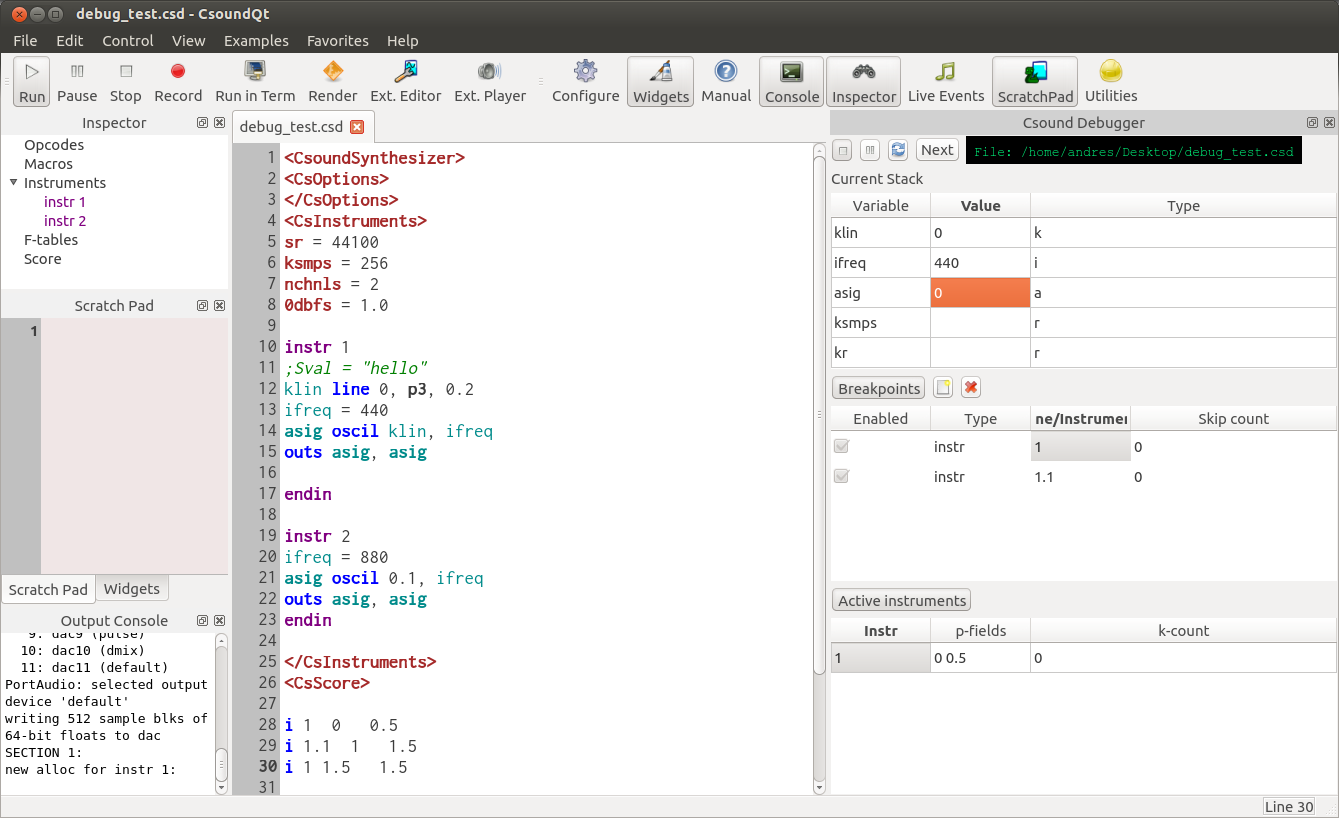
CsoundQt Debugger screenshot

This version includes:

  • A new virtual MIDI keyboard
  • Visual display of matching (or unmatching) parenthesis
  • Correct highlighting of type marks for functional opcodes (e.g. oscil:a)
  • Put back status bar
  • Added template list in file menu. Template directory can be set from the environment options
  • Added home and opcode buttons to help dock widget
  • Removed dependency on libsndfile (now using Csound's perfThread record facilties)
  • Fixed tab behavior
  • Updated version of Stria Synth (thanks to Emilio Giordani)
  • Dock help now searches as user types (not only when return is pressed)

Virtual MIDI Keyboard

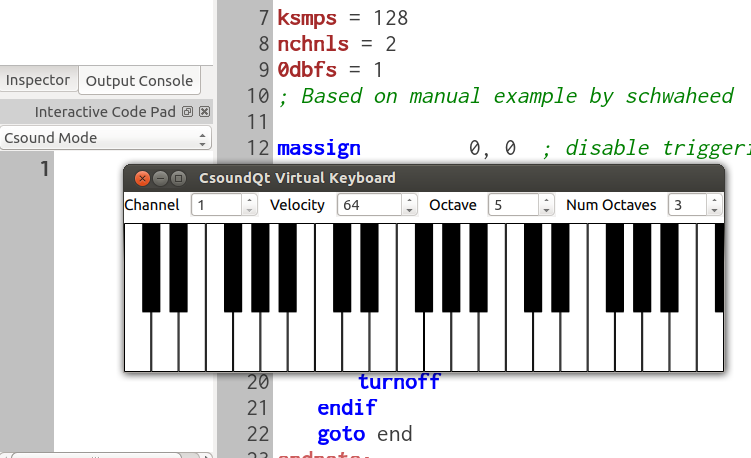
CsoundQt has a new virtual MIDI keyboard. It was long overdue, as the FLTK MIDI keyboard provided by Csound had constant issues because FLTK was clashing with Qt. The keyboard is written using QML, and because of this lays the basis for adding a Virtual Keyboard widget that you could add to the widget panel. I've also been dreaming about a generic QML widget for the widget panel after this...

CsoundQt Virtual MIDI Keyboard

Version 0.8.3 Released

I'm happy to announce the release of version 0.8.3. This release includes many fixes and changes, in particular the addition of the debugger front-end as default now that Csound 6.03 has been released which includes debugging capabilites.

CsoundQt 0.8.3

Other changes include:

  • Added hover window in parameter mode showing opcode and parameter details
  • Removed status bar as it no longer plays an important role
  • Fixed graph displays
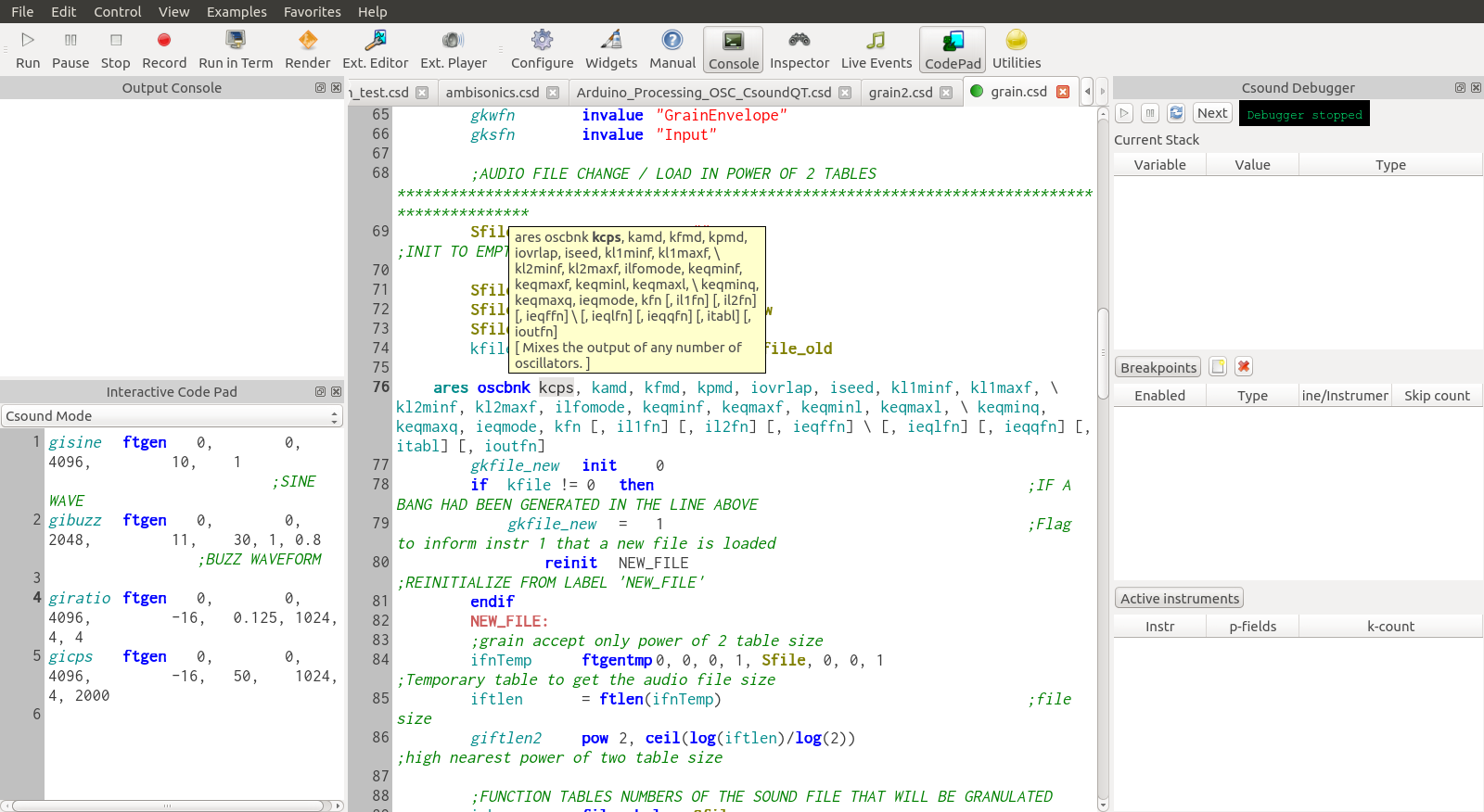
  • ScratchPad renamed to Codepad and added a selector to specify whether to evaluate code as Csound code or Python code.
  • Better auto-completion, parameter mode and tab behavior

You can get the source and pre-built binaries for OS X in the SourceForge 0.8.3 files page.

Csound Debugger (Part II)

The debugger is now much closer to being function, with skip functionality, printing of current variable values, and showing the current active instrument list.

Testing is welcome, but you will need to build both Csound and CsoundQt from source (using -DBUILD_DEBUGGER=1 for cmake on Csound and CONFIG+=debugger for qmake on CsoundQt)

CsoundQt Debugger screenshot

Nicer FFT display

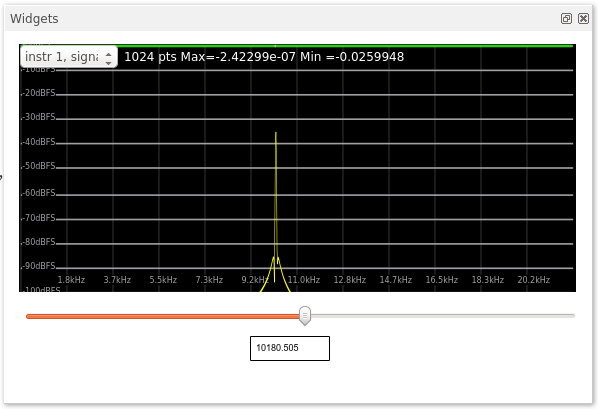
FFT displays in graph widgets (using the dispfft opcode in Csound) now look much nicer:

FFT display

Next on the list is allowing display of the frequency axis on a logarithmic scale.

Version 0.8.2 Released

I'm happy to announce the release of version 0.8.2. This release includes many fixes and changes, in particular a new MIDI handling mechanism which solves some serious crashing issues on OS X, and MIDI learn functionality. If you are feeling adventurous, you can also try the new proof of concept debugger front-end, but you will also need to build Csound yourself using the 'csdebugger' branch.

This release also takes advantage of Csound's new ability to compile instruments while running. You can now use the Scratch Pad and the editor to send instruments to the running engine with 'Evaluate Section" or "Evaluate Selection".

There is also a spiffy new "white" theme. The green theme is still too radical and has a few rough edges:

CsoundQt White theme

You can get the source and pre-built binaries for OS X in the SourceForge 0.8.2 files page.

Csound Debugger

With some new experimental additions to Csound, I have added the initial proof of concept of what will hopefully become a powerful debugger for the Csound language. Like with regular debuggers, you will be able to set breakpoints (both for line number and instrument instances) and pause running of the Csound engine. When the debugger is paused, you will be able to see the current rendering chain, as well as exploring the variables, and eventually change values before continuing.

CsoundQt Debugger screenshot